DevalVR viewer to play QTVR movies
You can request a new feature for DevalVR
or ask any other question in the support
forum: www.devalvr.com/forum
See more info about DevalVR configuration and tutorials in Support pages
|
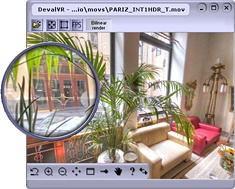
DevalVR is a 3D multipurpose viewer to play interactive contents on the Internet. With DevalVR it is possible to view all types of panoramic images: cubic, spherical and cylindrical panoramas. Additionally, QTVR format is fully supported by DevalVR. There are two programs to view panoramic images: DevalVR plugin , to view all contents on the Internet, and DevalVR player , to view contents in local mode (Hard Disk or CD). To download the DevalVR player click here: DevalVR player ( ) Win98/NT and Win2000/Me/XP/Vista To download the DevalVR Unicode player click here: DevalVR player Unicode version ( ) Win2000/Me/XP/Vista NOTE: Unicode player is the best solution to work with any language. |
|
|
Install plugin To install the plugin with the installer program click here: www.devalvr.com/install There are two installers (installdevalvr.exe and installnpdevalvr.exe). The downloaded program depends on the browser when you enter in the above link, you will download one of these programs: installdevalvr.exe ( KB) Internet Explorer
installer After installing the plugin with the installer program, is necessary to restart the browser. |
|

Inside the
browser:
Another way
to install DevalVR plugin is within the plugins installation system of the browser.
When you access a web page with the plugin, a message will
appear asking you about installing the plugin and the steps to continue.
When the plugin is not installed, the browser will search for the plugin. In Internet Explorer, the installation is automatic, the user only must accept a validation window. The Netscape users can be redirected to this page: http://www.devalvr.com/instalacion
This installation method is faster and it is not necessary to restart the browser, but some browsers have restricted the use of this method. The plugins are smaller than installer versions:
Internet Explorer plugin: KB.
Netscape/Firefox/Opera
plugin: KB.
License
The DevalVR player and DevalVR browser plugin are free to use. There isn't any restriction to use DevalVR viewer on the Internet or on CD presentations.
System requirements
-
Windows 98 or later
- Pentium 166MHz or later
- 64MB RAM memory
- 1MB Video
memory
The viewer works in all desktop color modes: 15, 16, 24 and 32 bpp modes.
- Cylindrical panorama movies
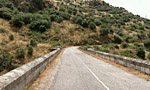 |
Cylindrical panorama example: http://www.devalvr.com/paginas/soporte/compass.html
|
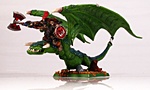 |
Object movie example: www.devalvr.com/panos/objectmov.html |
- Cubic panorama movies
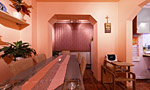 |
Cubic panorama example: http://www.devalvr.com/paginas/galeria/dining_room.html |
- Tiled cubic panorama movies
 |
Tiled cubic panorama example: http://www.devalvr.com/paginas/soporte/joystick.html
|
- Logos and images into QTVR movies
- Ambient Sound. (3D sound too, with variable volume in L R speakers when camera rotates).
- Macromedia Flash movies into QTVR movies *
 |
Interactive flash movie example. This is an example with a interactive Flash movie into a cylindrical
panorama: |
file2 = file for DevalVR
file3 = file for Java (PTViewer or Pureplayer, see "detectvr.js" file to use Pureplayer)
file4 = file for Flash
file5 = file for SPI-V
width = horizontal size of viewer window, in pixels or percentage
height = vertical size of viewer window, in pixels or percentage
For width or height parameters a pixel size or percentage can be used. If a negative value is defined, this means "browser 100%" - "value in pixels".
For example, to define a viewer window of width=100% and height=100% - 60 px:
www.devalvr.com/panos/testmov.html
Change the file name in the two parameters "src" to set the movie file name. The "src" parameter into OBJECT tags sets the file name for Internet Explorer. The "src" parameter into EMBED tags sets the file name for Netscape and compatible browsers.
Parameters
This is the complete list of all DevalVR parameters: DevalVR paramaters
LEFT CONTROL: Decrements zoom
RIGHT SHIFT: Show telescope
ARROW KEYS: Tilt and pan rotation.
[*]: Set the zoom to its initial value.